
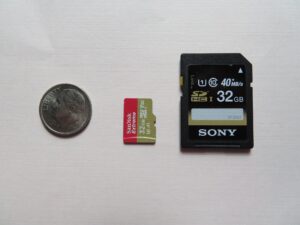
A flash drive rides in a pocket next to a house key. An SD card lives inside a camera, a drone, a dash cam, or a tablet. Small, cheap, and everywhere — right up until the day one of them stops working and the only copy of something important is on it, or was. What you do in the next few minutes decides whether those files come back.
Why Flash Storage Fails So Suddenly
Unlike a hard drive, a USB drive or memory card has no moving parts. That makes flash storage fast and durable, and changes how it fails. A failing hard drive often warns you with clicking sounds or slowdowns first. Flash media tends to die abruptly: a worn-out memory chip locks up overnight, a controller gives out during one write, or a power surge takes the electronics with it.
Worn-Out Flash Memory
Flash chips survive a limited number of write cycles. Cards used daily — dash cams that loop-record, phones saving photos to microSD, drives shuttling work files — wear out faster than a drive that sits in a drawer. At end of life, the controller often refuses all access to protect what is left, and your computer sees a card that is suddenly empty or unreadable.
Electrical and Physical Damage
USB connectors take a beating. A drive snapped off a port, a card dropped with the reader, salt water from a beach trip, coffee spilled on a desk — all of it lands in our lab. Cracks and bent connectors can break the path between your files and the memory chips even when the chips are fine.
A Confused File System
Pull a card out while the camera is still writing, or yank a USB drive mid-copy, and the drive’s index can end up half-written. The computer can no longer read the layout, so it labels the card corrupted and offers to fix it by formatting. The filing system just needs to be read by something smarter than a desktop OS.
The One Rule Above All: Stop Using It
Think of a deleted file the way our Long Island data recovery team explains it to clients: a parking lot. When a file is deleted, the file itself stays in its parking spot — only the sign that a car is there gets removed. The space still holds your data until another file parks on top of it. Every photo you take, every save is a new driver circling for a spot.
So the first step is to take the drive or card out of service immediately. Remove the microSD from the phone. Stop using the camera that says the card is unreadable. Do not keep reinserting a drive to “see if it works” — with electrically damaged flash, every power-up is another chance for a failing component to fail further. If files were deleted by accident, the sooner the media reaches a lab, the better the odds those parking spots are still empty.
The Format Prompt: Do Not Click It
The most expensive click in flash storage recovery is the one that accepts a format prompt. Windows says the drive “needs to be formatted before it can be used.” A camera offers to initialize the card. The message sounds official, but formatting is not a repair — it is an erasure that wipes the very directory recovery needs to rebuild your files. And the prompt usually comes back anyway.
The same caution applies to consumer recovery software. Scanning a failing card at home is a gamble: an aggressive deep scan stresses worn chips, and many free tools write their recovered copies onto the same card they are scraping, overwriting files that were still intact. If the data matters, the risk outweighs what the utilities offer.
Safe Checks Worth Trying Once
Not every failure is the card’s fault, and a few read-only checks can rule out innocent explanations without touching your data:
- Try a different port or computer — once. A dead card reader, a flaky cable, or a tired USB port mimics a dead drive.
- Check the lock switch. Full-size SD cards have a slide switch on the left edge. If it has slid toward lock, the camera sees the card but refuses to write, which looks like corruption.
- Inspect the contacts. A gentle wipe with a dry microfiber cloth or a clean pencil eraser is fine. Never use liquids, and never scrape.
If the drive is still unreadable after that, the problem is likely inside the device — and that is where professional work begins. No home remedy, from gluing a snapped connector to freezing a drive, has ever helped; it only makes the chips harder to read when the device arrives at the bench.
Why Professional Flash Recovery Works
When the damage is electrical or the file system is gone, off-the-shelf software cannot reach the data, because the drive’s own controller is what refuses to talk. Professional USB data recovery goes around that wall: the memory chips are read directly with purpose-built hardware, failed controllers are bypassed or reconstructed, and the raw flash data is rebuilt into the folders and files you recognize.
What Long Island Data Recovery Handles
Our Long Island USB data recovery and digital media recovery service covers USB thumb drives and pen drives, external USB hard drives, full-size SD and microSD cards, CompactFlash, MMC, xD, and SSDs, plus the media inside phones and tablets — dropped, cracked, snapped, soaked in fresh water, salt water, soda, or coffee, and burned or smoke-damaged. Emergency service is available at 516.889.0777.
If a flash drive or memory card holds wedding photos, coursework, client files, or last season’s game footage, the path forward is the same: take the device out of service, note what happened, and get it to people who do this every day. Call 516.889.0777 or send us a message through our contact page — Long Island Data Recovery will assess the device and tell you honestly what can be saved.