
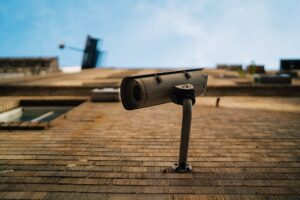
When something goes wrong at a store, a job site, or a front door, the first question is almost always the same: what does the camera show? The answer has to come from a DVR or NVR that runs around the clock, quietly writing video onto a hard drive. Those little recorders are hard-working computers, and the drives inside them fail like any other drive. Long Island Data Recovery treats DVR and NVR units as a specialist data recovery service for exactly that reason, and because the recordings on them are usually wanted for one specific moment, how you handle the unit in the first hours matters.
Why security camera footage goes missing
Recording systems lose footage in a few predictable ways.
Most DVRs and NVRs overwrite themselves on purpose: when the drive fills up, the oldest clips are replaced to make room for new ones. That is normal design. The risk is when you go looking for a past date and find that recording window has already been rewritten.
Drives also wear out. A security recorder runs 24 hours a day, every day, for years, and the drive that seemed fine last month can start freezing, skipping during playback, or failing like any other drive. Some errors are intermittent at first: playback stutters, dates disappear, then the unit stops seeing the disk at all.
And sometimes the problem is simply age and neglect. The installer has moved on, nobody has the admin password anymore, and the undocumented box on the shelf has no easy menu answer when its drive starts to go bad.
First steps that protect the recordings
If the footage matters for an incident, a dispute, or a theft, treat the recorder as fragile evidence rather than a broken gadget.
Power the unit down from its own menu and leave it off. Continuing to run a recorder that is behaving badly (error beeps, “no disk” messages, frozen playback) gives a struggling drive more chances to overwrite or damage the very clips you need.
Decline any format or “initialize disk” prompt. If the recorder offers to set the disk back up so it can keep recording, stop. Re-initializing can erase the index that tells the unit where each video lives.
Do not run recovery software downloaded from the internet over the drive. A home scan treats the disk like a bundle of photos and documents, but security recorders store something very different: proprietary video databases. A rough scan on a weak drive can make things worse, which is why long island data recovery uses a combination of software and purpose-built hardware instead, including machines its technicians designed and built for difficult physical cases.
Write down a short timeline while you remember it. The date you first noticed footage missing, the last date that plays normally, any errors the unit shows, and whether it still records new video. That summary speeds up the technical work later.
Leave the hardware sealed. Do not open the unit, remove the drive, or hook it to another computer. If labels are needed, write on the housing, not on the drive itself.
When the footage is evidence
If the video matters for a court case, a police report, or an insurance claim, say so before any recovery work begins. Evidence handling requires that the original media stay intact and documented, so the lab needs to know up front in order to preserve it the way a case requires. Resist the urge to export or convert copies on your own first: a copy made the wrong way can undercut the very proof you are trying to keep.
How professional NVR and DVR recovery works
Inside a security recorder, the hard drive holds a database of video files with its own index and often its own recording format. Getting those recordings back is specialist work.
Technicians approach it with purpose-built hardware and software first. For units whose drive is failing but not yet dead, LIDR uses dedicated machines, some designed and built in-house, that read the media carefully around its weak spots. When a drive has failed completely, engineers open it in a clean room, analyze the damaged media, and replace parts as needed so the device can communicate properly again.
The goal at the end is to extract the recordings you are looking for and provide them on a separate device: playable video rather than a raw drive image. In some cases, damaged database files and other damaged file types can even be reconstructed.
What recovery can and cannot promise
Honest expectations matter with security footage. No lab can guarantee that every clip comes back, especially after a drive has been powered on for days while failing, or after a window of footage has already been overwritten. But a recorder that is stopped early and handled gently gives the recovery process far more to work with than a unit kept limping along.
Security footage is almost never wanted casually; it usually matters because of one specific afternoon or one specific interaction. That makes it unusually time-sensitive. Every additional day of recording overwrites a little more history, and every additional power-on of a failing drive adds risk. Power it down, write down what you know, and let the people with the clean room and purpose-built tools do the delicate part. Recordings that still exist on that drive are often recoverable, but only in the window between something going wrong and the drive finishing the job of failing.