
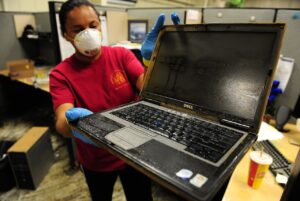
Water and electronics make a bad pair. When a laptop takes a coffee spill or a basement flood soaks a desktop tower, the first instinct is usually to grab a towel and try to save the day. That instinct is understandable, and in most cases it is exactly what turns a recoverable drive into a dead one.
Long Island Data Recovery has been handling liquid-damaged storage since long before most people carried their files around in their pockets. Water and flood damage is one of our core recovery services, and our team has seen everything from a laptop drowned in coffee to hard drives that sat in salt water for days after Superstorm Sandy flooded Long Island, Queens, Brooklyn and the New Jersey coast in 2012.
Why water kills hard drives so quickly
A spinning hard drive is sealed against dust, not against liquid. When water gets inside the enclosure, it corrodes the delicate electronics on the drive’s circuit board. The platters themselves hold your data on a thin magnetic layer, and contaminates in floodwater leave mineral deposits on that surface as they dry. A read/write head that touches a residue-coated platter can scrape the coating away permanently, taking your files with it.
Salt water is especially destructive. It is highly corrosive to drive electronics, which is why drives pulled from storm-flooded buildings are a much harder job than a freshwater splash, though both need professional treatment fast.
The mistakes that cost people their data
1. Drying the drive out
Rice, hair dryers, ovens and open windows all seem clever. None of them are. Drying a wet drive leaves dissolved minerals stuck to the platters and can warp components. Residue is harder to remove than the water itself, and heat can warp or delaminate the drive’s internal parts. A drive that arrives still sealed in its bag of corrosion is often a more recoverable drive than one that spent three days drying out.
2. Powering it on to check if it still works
The moment of temptation. It plugs in, it spins up, so surely it is fine? Powering a wet or corroded drive can short the circuit board outright. Worse, if moisture has reached the platters, those first nervous spin-up minutes can grind residue across the exact area where your data lives. Once the head has touched a contaminated platter, no recovery lab can undo that scratch.
3. Freezing it
The internet’s oldest bad advice. Freezing a drive condenses moisture inside the enclosure and does nothing for the underlying fault that caused the failure (or the flood damage outside water). It wastes precious hours while corrosion spreads.
4. Opening the drive at home
Data recovery labs operate in a cleanroom because a single airborne dust particle on a platter can destroy a read/write head. A garage or kitchen table with open drive parts exposed is closer to a sandstorm than a cleanroom by comparison.
What to do instead
You have time in the first hours after damage, but not days. Get the drive out of the wet device safely, do not power anything back on, and keep the drive wet if it is already soaked rather than letting it dry into residue. Put it in a sealed, dry container, and bring it to a specialist as soon as you can.
Freshwater spill, salt flood, coffee, soda, a phone that went through the washing machine: every liquid leaves a different kind of damage behind, and each responds to different treatment. Professional recovery means assessing each case individually, controlling corrosion in a controlled environment, and working drive by drive in a cleanroom when parts need replacing.
Recovering from a flood is possible
When Superstorm Sandy pushed salt water through dozens of businesses across Long Island and New York City, our engineers recovered data from servers and hard drives that had been submerged for days. Customer records, financial data, databases: in some cases where files themselves were lost, damaged databases were repaired and rebuilt so the recovered data could be put back to work.
Water damage feels final in the moment. It almost never is. If a wet drive holds anything you cannot afford to lose, leave it wet, leave it powered off, and call the recovery specialists at 516-889-0777. Diagnostics are free, and standard hard drive recoveries come with our no data, no charge guarantee.